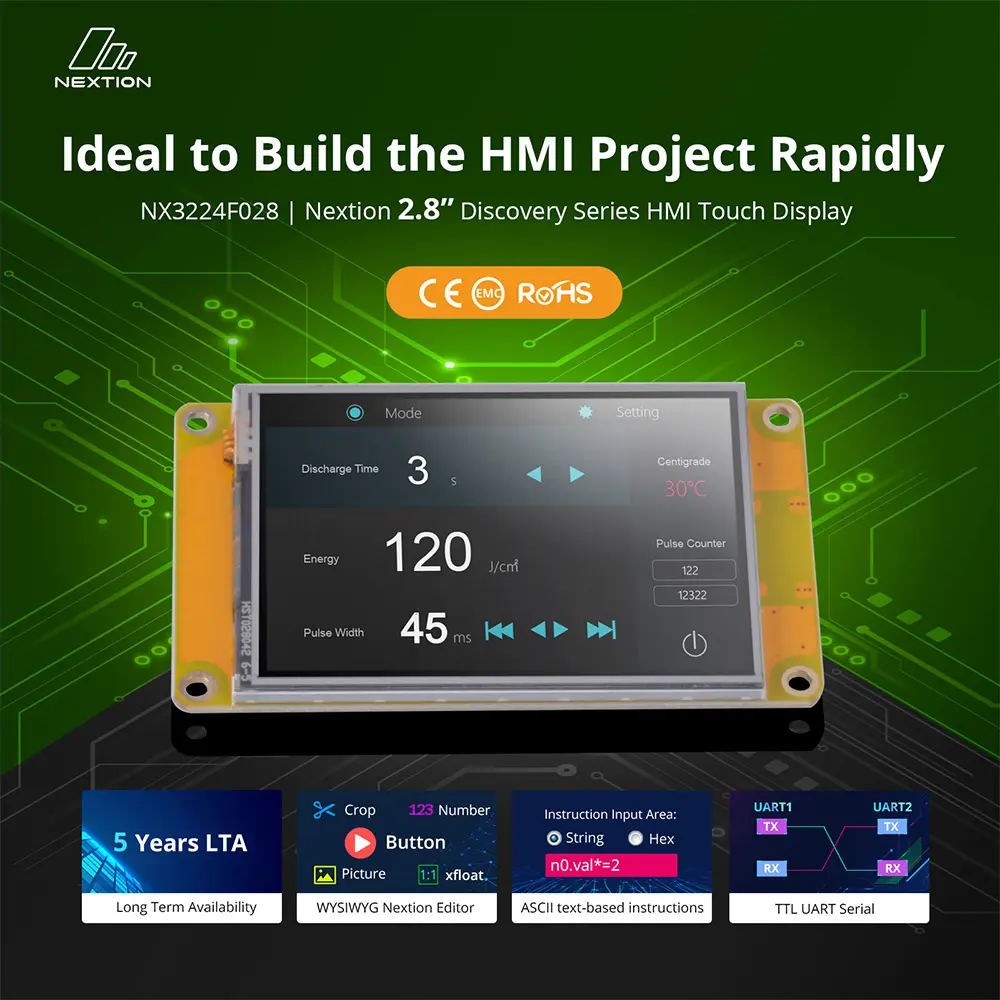
Alternative Products
These other products might interest you


Nextion Editor Overview
Nextion Editor is a free human-machine interface (HMI) GUI development software for Nextion Basic Series, Enhanced Series, and Intelligent Series. The software offers an easy way to create an intuitive and superb touch user interface even for beginners. Add a static picture as a background, define functions by components, and you can make a simple GUI in minutes. The easy Drag-and-Drop components and simple ASCII text-based instructions will dramatically reduce your HMI project development workloads and develop projects rapidly in a cost-effective way. The Nextion product is the best balance HMI solution between cost and benefit with a low and decreased learning curve.

Nextion Editor Features
Versatile Character Encoding
With several character encodings, you are able to create the HMI project in your language characters and strings.
Fonts and Text Styling
The font creator allows you to generate the specific fonts applied in each component value or text attribute. e.g. Generate the font of "Arial" with Height "24" and Encoding "UTF-8"

25+ Amazing WYSIWYG Components
Easy-to-use components to customize the GUI at the screen side allow you to develop projects rapidly in a cost-effective way.
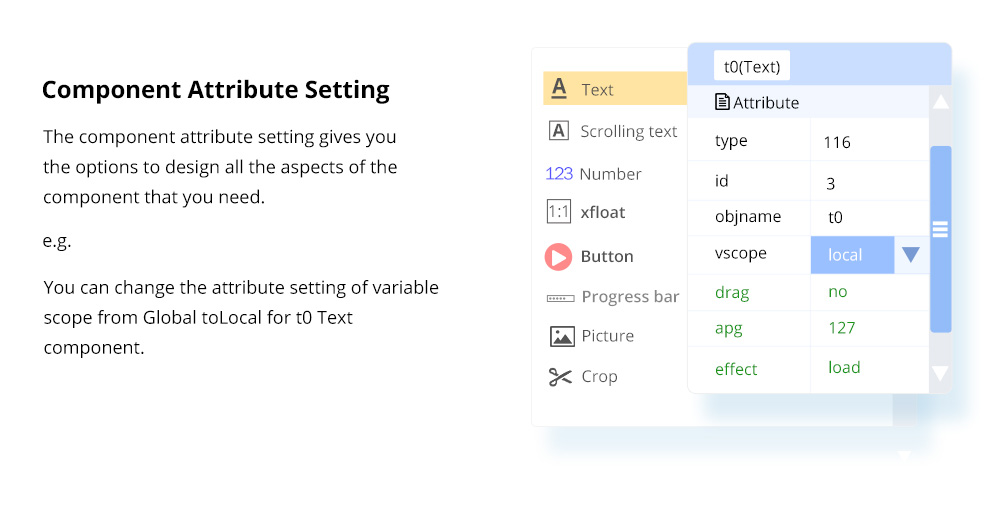
Component Attribute Setting
The component attribute setting gives you the options to design all the aspects of the component that you need.

Free Simulator Debug
Debug the HMI project at any time even without the Nextion Display. The instruction input area allows you to send any Nextion commands to check the feedback and interactions.
Nextion Operational Commands
The operational commands allow users to program the HMI interactions by coding in the Events window.

Text-based Instruction Set
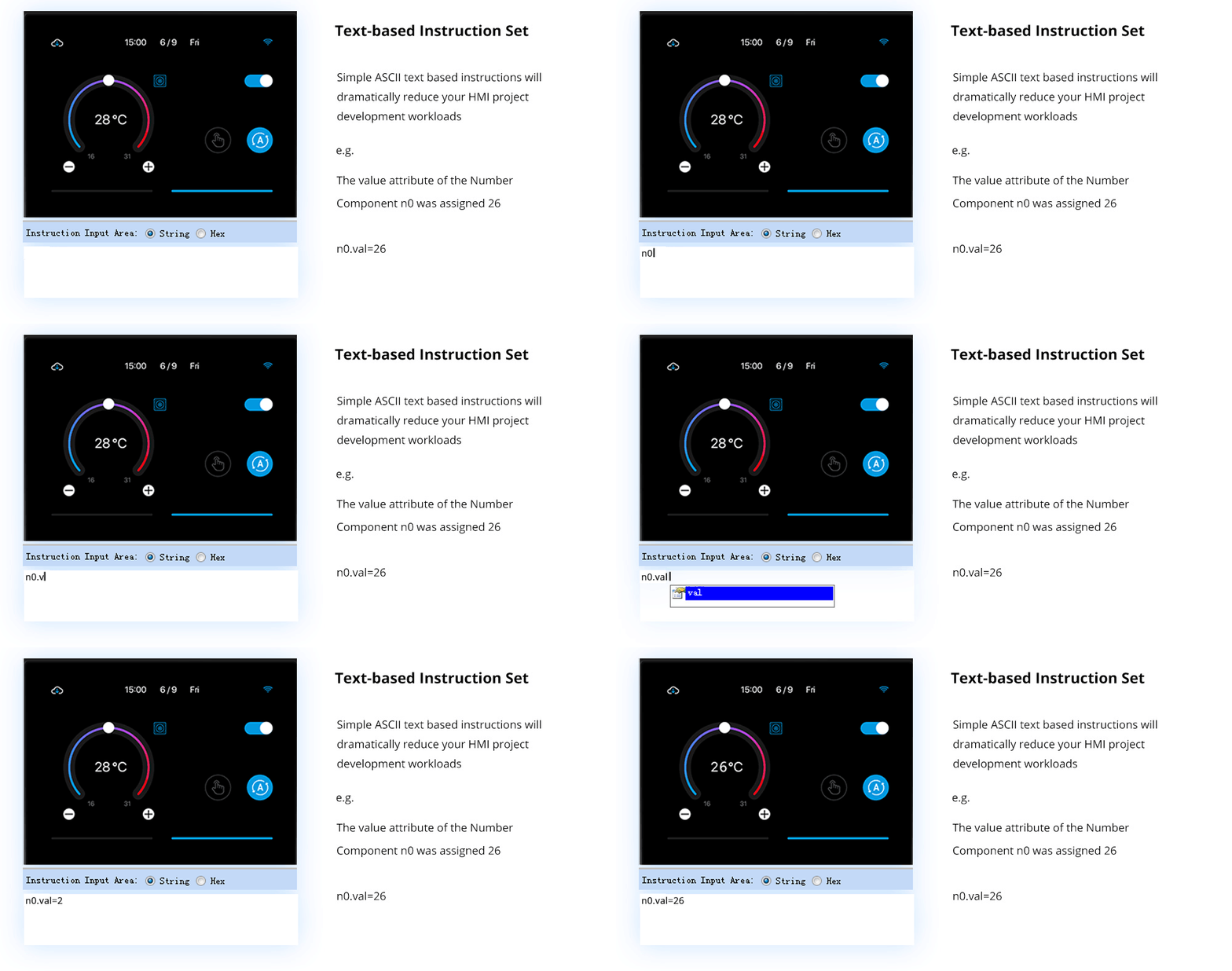
Simple ASCII text-based instructions will dramatically reduce your HMI project development workloads.
Support Simple Assignment Operators
To handle the calculation and assignment for text and numeric data, the simple assignment operators help.


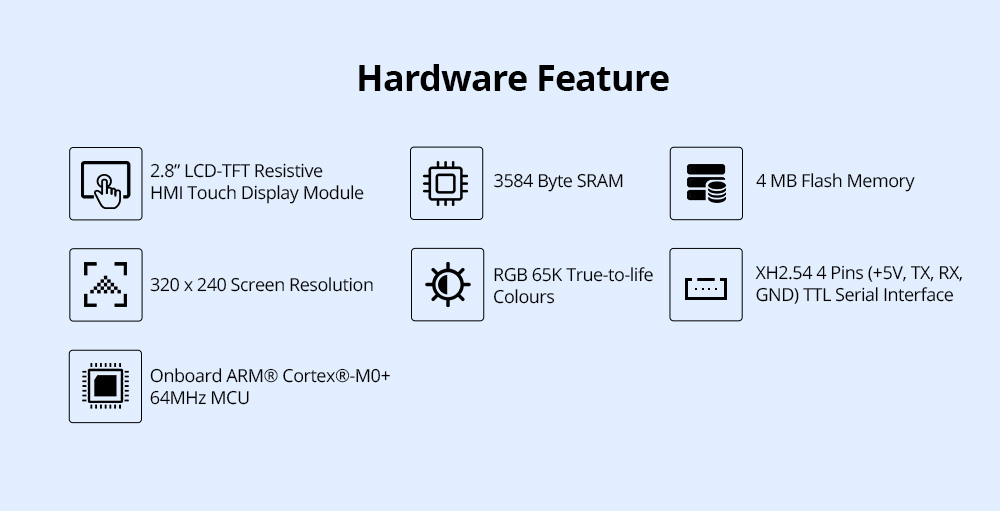
Hardware Feature
- 2.8" LCD-TFT Resistive HMI touch display module
- 320 x 240 screen resolution
- RGB 65K true-to-life colours
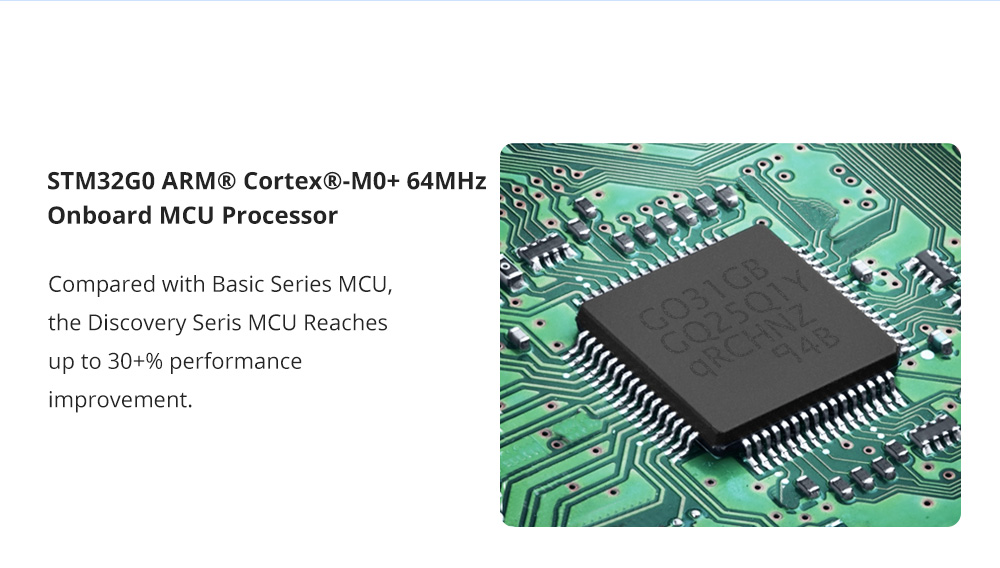
- Onboard ARM® Cortex®-M0+ 64MHz MCU
- 3584 Byte SRAM
- 4 MB Flash memory
- XH2.54 4 Pins (+5V, TX, RX, GND) TTL serial interface
Nextion Editor Overview
Nextion Editor is a free human-machine interface (HMI) GUI development software for Nextion Basic Series, Enhanced Series, and Intelligent Series. The software offers an easy way to create an intuitive and superb touch user interface even for beginners. Add a static picture as a background, define functions by components, and you can make a simple GUI in minutes. The easy Drag-and-Drop components and simple ASCII text-based instructions will dramatically reduce your HMI project development workloads and develop projects rapidly in a cost-effective way. The Nextion product is the best balance HMI solution between cost and benefit with a low and decreased learning curve.

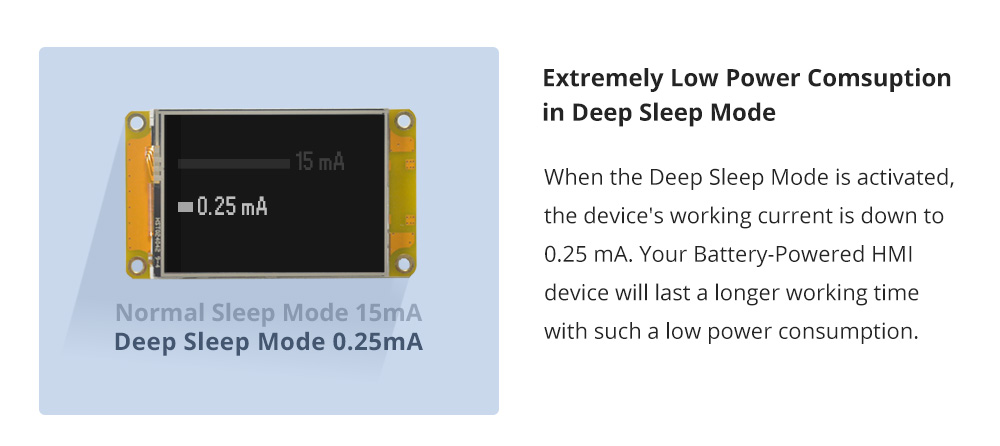
Extremely Low Power Consumption in Deep Sleep Mode
When the Deep Sleep Mode is activated, the device's working current is down to 0.25 mA. Your battery-powered HMI device will last a longer working time with such low power consumption.

15+ WYSIWYG Components for HMI Development
Easy-to-use components to customize the GUI at the screen side allow you to develop projects rapidly in a cost-effective way: 1. Text 2. Scrolling text 3. Number 4. xfloat 5. Button 6. Progress bar 7. Picture 8. Crop 9. Hotspot 10. Gauge 11. Waveform 12. Slider …

Free Simulator Debug
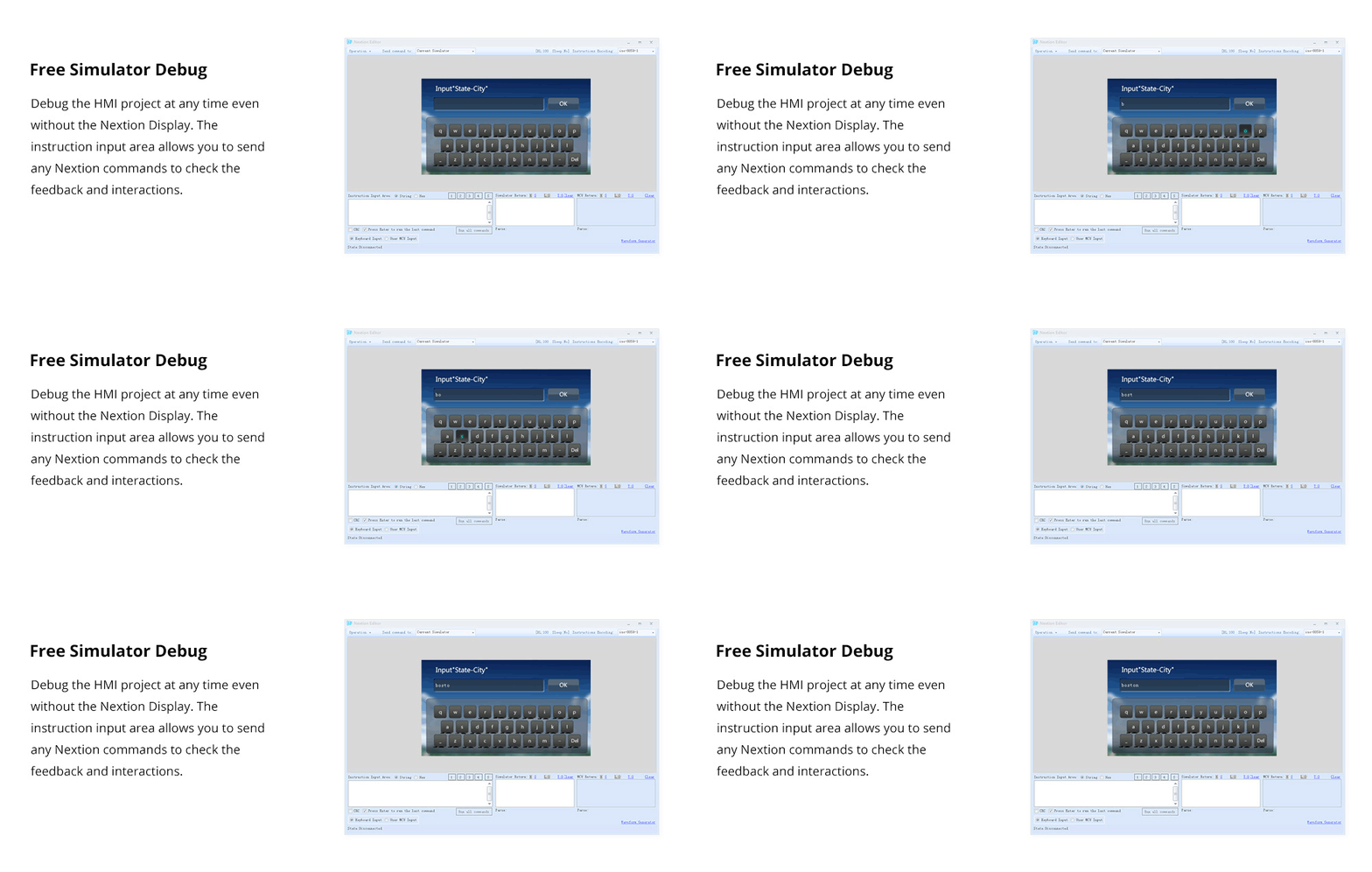
Debug the HMI project at any time even without the Nextion Display. The instruction input area allows you to send any Nextion commands to check the feedback and interactions.
Fonts and Text Styling
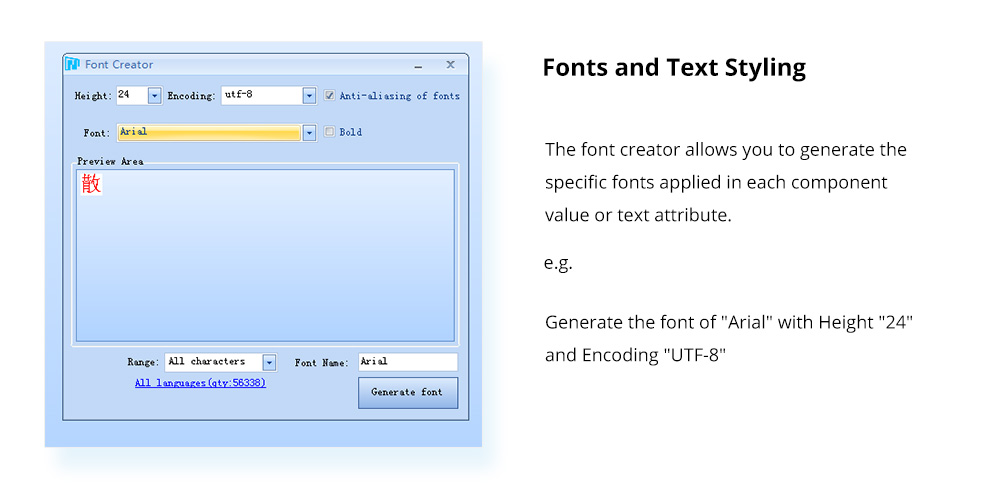
The font creator allows you to generate the specific fonts applied in each component value or text attribute. e.g. Generate the font of "Arial" with Height "24" and Encoding "UTF-8".
New Image Compression Technique to Save More Space Usage
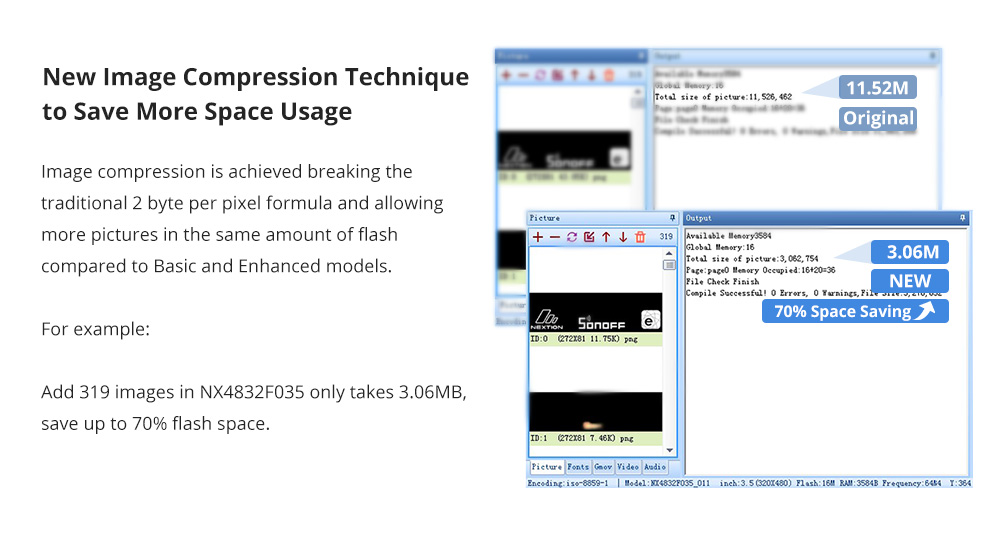
Image compression is achieved by breaking the traditional 2 byte per pixel formula and allowing more pictures in the same amount of flash compared to Basic and Enhanced models. For example: adding 319 images in NX4832F035 only takes 3.06MB, saving up to 70% flash space.
UTF-8 Subset Reduces Font Space Usage
The Font Generator can generate a ZI Font using user-selected combinations of UTF-8 subsets. There are 142 subsets covering all language characters, so you can create the HMI project with any language content text.




NX3224F028 VS NX3


NX3224F028 VS NX3224T028

Compared with the Basic Series, the Discovery Series has better MCU performance. With the new image compression technique, the Discovery Series allows more pictures in the same amount of flash compared to Basic and Enhanced models. The operating current of deep sleep mode is as low as 0.25mA, which makes the Discovery Series displays more suitable for battery-powered projects.
NX3224F028 Certification and Documents
- – Datasheet
- – Dimension
- – Instruction Set
- – Editor Guide
- – LTA Announcement
- – CE
- – ROHS
Nextion Technical Support

Nextion Editor Overview
Nextion Editor is a free human-machine interface (HMI) GUI development software for Nextion Basic Series, Enhanced Series, and Intelligent Series. The software offers an easy way to create an intuitive and superb touch user interface even for beginners. Add a static picture as a background, define functions by components, and you can make a simple GUI in minutes. The easy Drag-and-Drop components and simple ASCII text-based instructions will dramatically reduce your HMI project development workloads and develop projects rapidly in a cost-effective way. The Nextion product is the best balance HMI solution between cost and benefit with a low and decreased learning curve.
Nextion Editor Features
Versatile Character Encoding
With several character encodings, you are able to create the HMI project in your language characters and strings.
Fonts and Text Styling
The font creator allows you to generate the specific fonts applied in each component value or text attribute. e.g. Generate the font of "Arial" with Height "24" and Encoding "UTF-8"
25+ Amazing WYSIWYG Components
Easy-to-use components to customize the GUI at the screen side allow you to develop projects rapidly in a cost-effective way.
Component Attribute Setting
The component attribute setting gives you the options to design all the aspects of the component that you need.
Free Simulator Debug
Debug the HMI project at any time even without the Nextion Display. The instruction input area allows you to send any Nextion commands to check the feedback and interactions.
Nextion Operational Commands
The operational commands allow users to program the HMI interactions by coding in the Events window.
Text-based Instruction Set
Simple ASCII text-based instructions will dramatically reduce your HMI project development workloads.
Support Simple Assignment Operators
To handle the calculation and assignment for text and numeric data, the simple assignment operators help.
Hardware Feature
- 2.8" LCD-TFT Resistive HMI touch display module
- 320 x 240 screen resolution
- RGB 65K true-to-life colours
- Onboard ARM® Cortex®-M0+ 64MHz MCU
- 3584 Byte SRAM
- 4 MB Flash memory
- XH2.54 4 Pins (+5V, TX, RX, GND) TTL serial interface
Nextion Editor Overview
Nextion Editor is a free human-machine interface (HMI) GUI development software for Nextion Basic Series, Enhanced Series, and Intelligent Series. The software offers an easy way to create an intuitive and superb touch user interface even for beginners. Add a static picture as a background, define functions by components, and you can make a simple GUI in minutes. The easy Drag-and-Drop components and simple ASCII text-based instructions will dramatically reduce your HMI project development workloads and develop projects rapidly in a cost-effective way. The Nextion product is the best balance HMI solution between cost and benefit with a low and decreased learning curve.
Extremely Low Power Consumption in Deep Sleep Mode
When the Deep Sleep Mode is activated, the device's working current is down to 0.25 mA. Your battery-powered HMI device will last a longer working time with such low power consumption.
15+ WYSIWYG Components for HMI Development
Easy-to-use components to customize the GUI at the screen side allow you to develop projects rapidly in a cost-effective way: 1. Text 2. Scrolling text 3. Number 4. xfloat 5. Button 6. Progress bar 7. Picture 8. Crop 9. Hotspot 10. Gauge 11. Waveform 12. Slider …
Free Simulator Debug
Debug the HMI project at any time even without the Nextion Display. The instruction input area allows you to send any Nextion commands to check the feedback and interactions.
Fonts and Text Styling
The font creator allows you to generate the specific fonts applied in each component value or text attribute. e.g. Generate the font of "Arial" with Height "24" and Encoding "UTF-8".
New Image Compression Technique to Save More Space Usage
Image compression is achieved by breaking the traditional 2 byte per pixel formula and allowing more pictures in the same amount of flash compared to Basic and Enhanced models. For example: adding 319 images in NX4832F035 only takes 3.06MB, saving up to 70% flash space.
UTF-8 Subset Reduces Font Space Usage
The Font Generator can generate a ZI Font using user-selected combinations of UTF-8 subsets. There are 142 subsets covering all language characters, so you can create the HMI project with any language content text.
NX3224F028 VS NX3
NX3224F028 VS NX3224T028
Compared with the Basic Series, the Discovery Series has better MCU performance. With the new image compression technique, the Discovery Series allows more pictures in the same amount of flash compared to Basic and Enhanced models. The operating current of deep sleep mode is as low as 0.25mA, which makes the Discovery Series displays more suitable for battery-powered projects.
NX3224F028 Certification and Documents
- – Datasheet
- – Dimension
- – Instruction Set
- – Editor Guide
- – LTA Announcement
- – CE
- – ROHS
Nextion Technical Support
Specifications
| Brand | Nextion |
Alternative Products
These other products might interest you